How to connect the Convermax script to a theme copy
1. Navigate to Storefront → Themes and make a copy of your current theme
Section titled “1. Navigate to Storefront → Themes and make a copy of your current theme”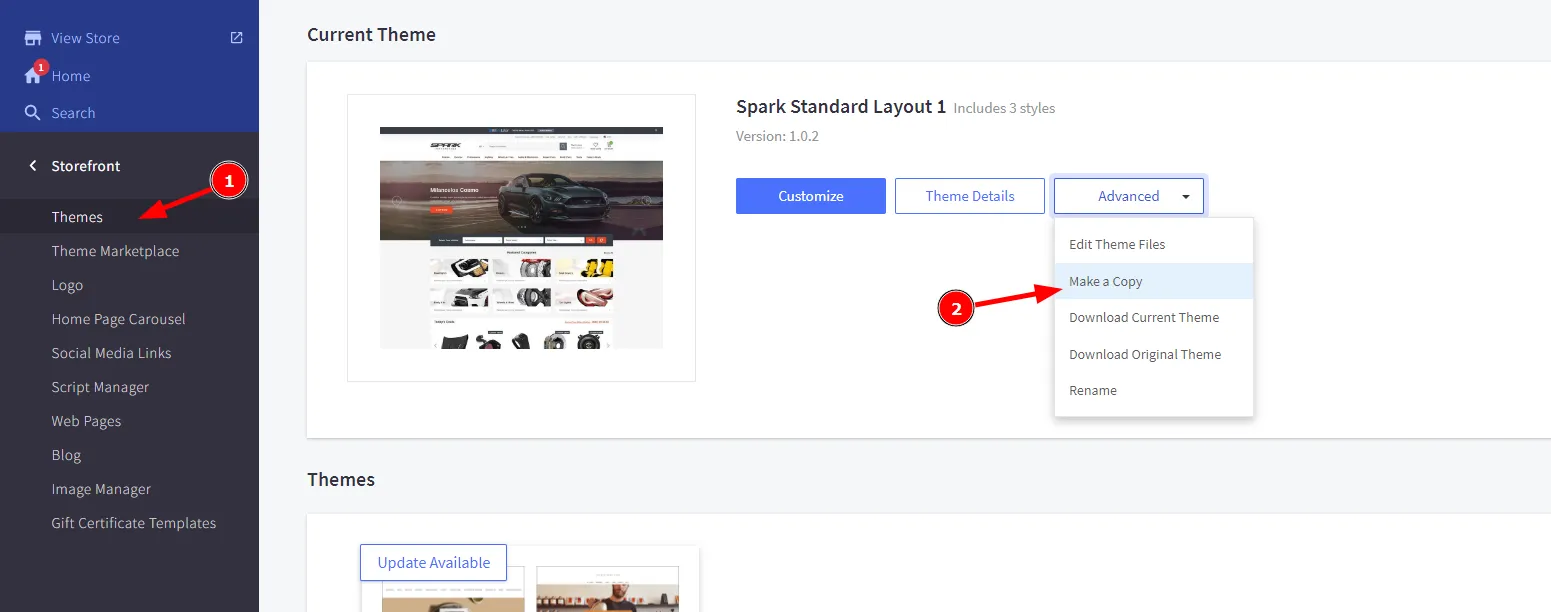
2. Click “Edit Theme Files” on the created theme copy
Section titled “2. Click “Edit Theme Files” on the created theme copy”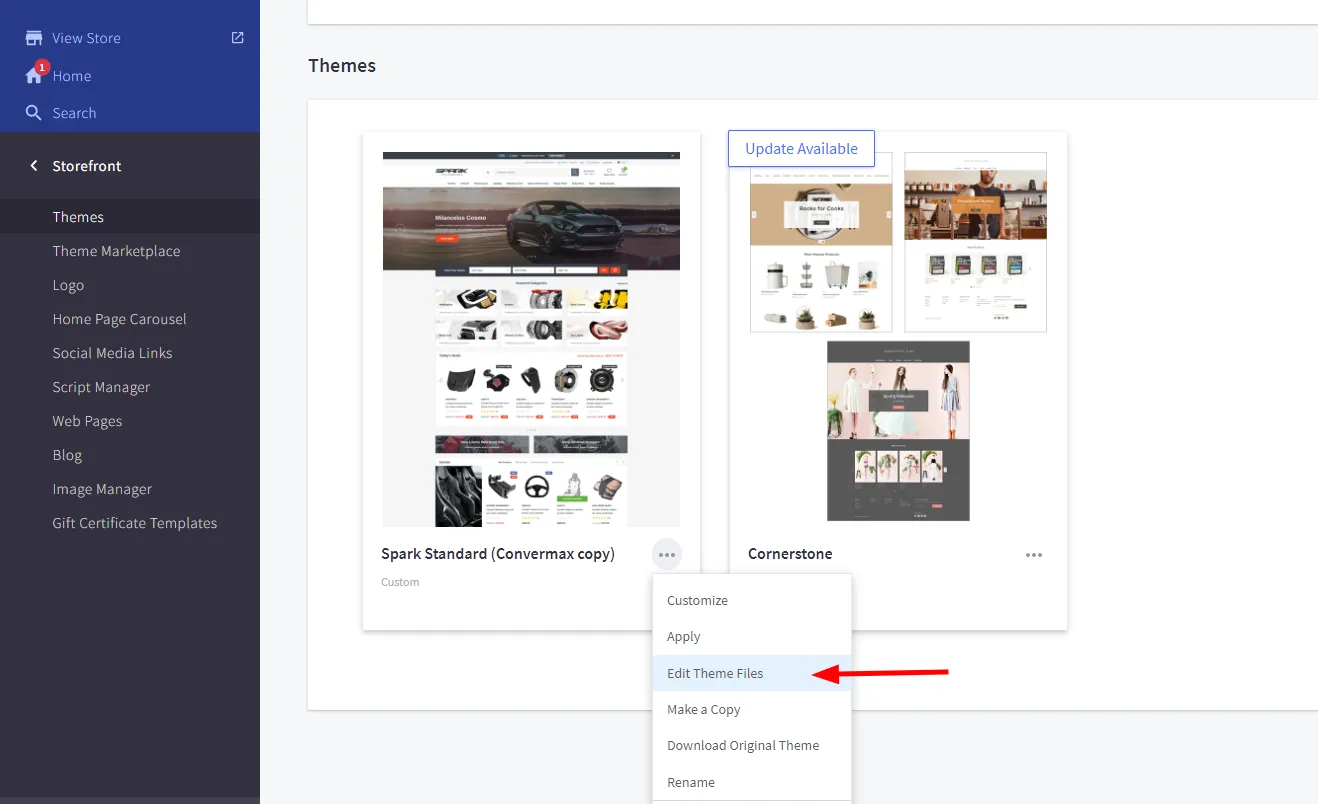
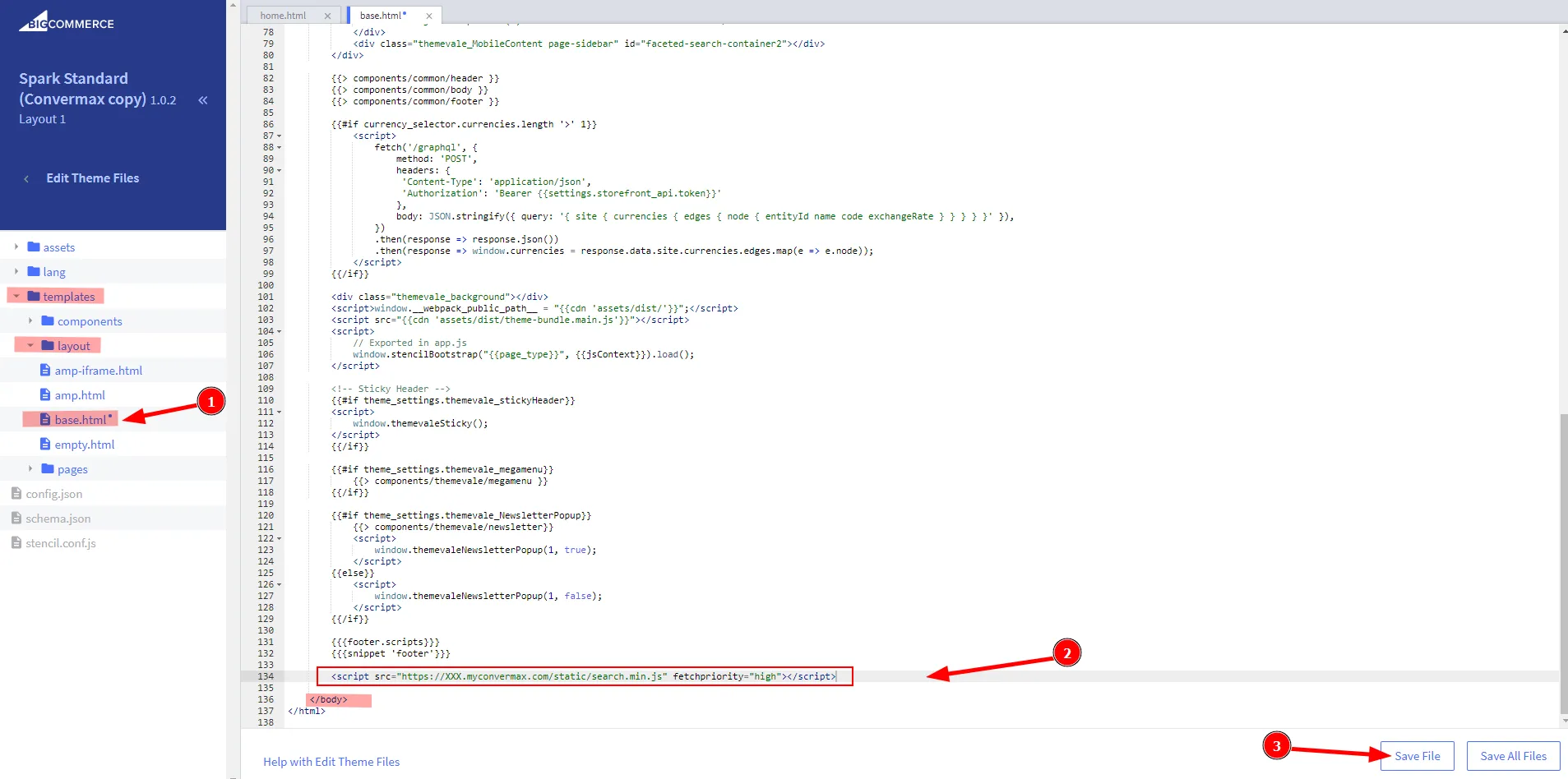
3. Go to the base.html file and paste the following code before the closing </body> tag:
Section titled “3. Go to the base.html file and paste the following code before the closing </body> tag:”<script src="https://XXX.myconvermax.com/static/search.min.js" fetchpriority="high"></script>