

Set up Wheel Pros SFTP feed
Configure delivery options
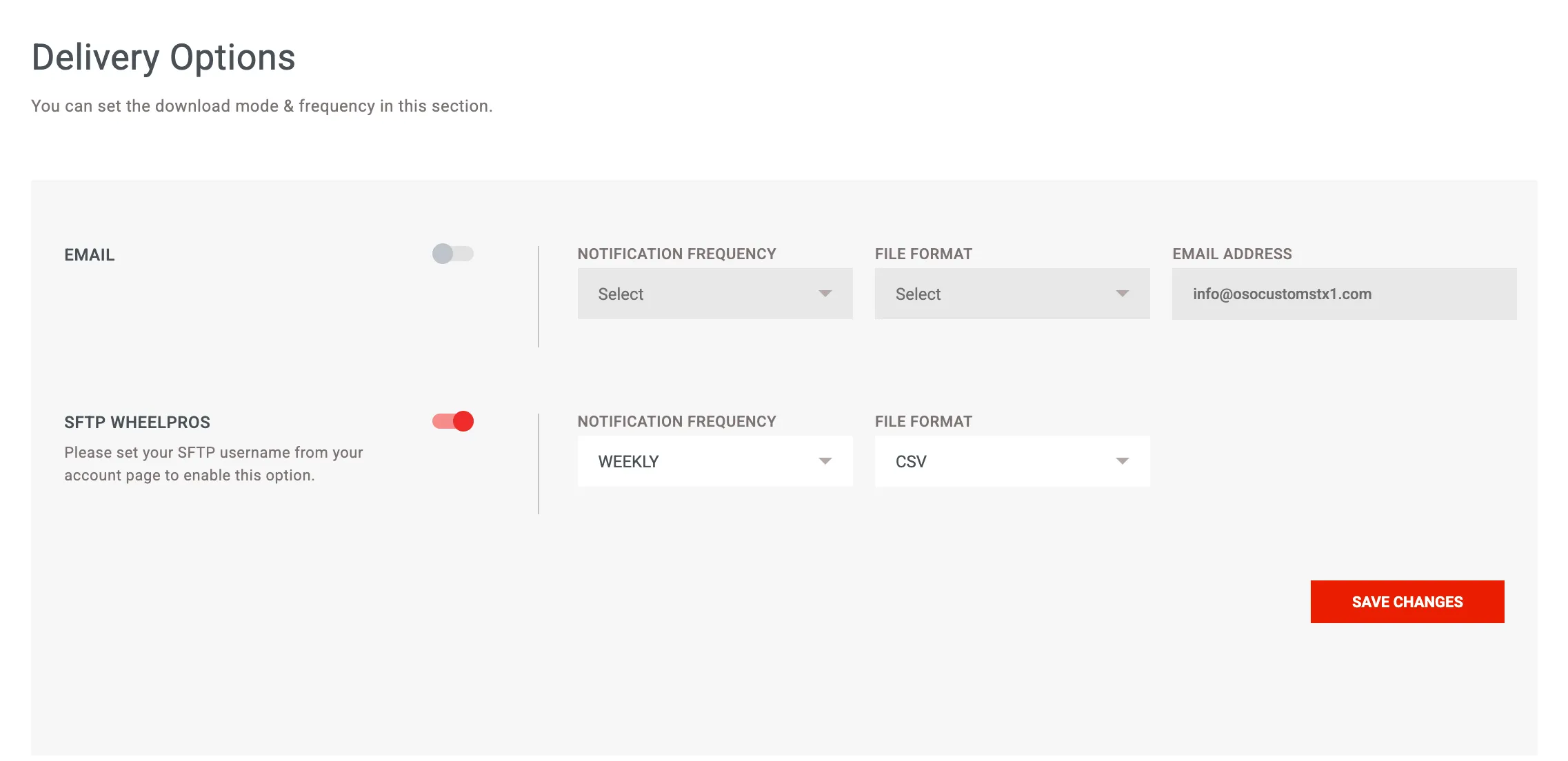
Section titled “Configure delivery options”- Navigate to Download → Tech Guide → Delivery Options: https://data.wheelpros.com/downloads/tech-guide/settings
- Turn on SFTP WheelPros
- File Format: CSV
- Notification Frequency: Weekly
- Click Save Changes
Generate tech data files
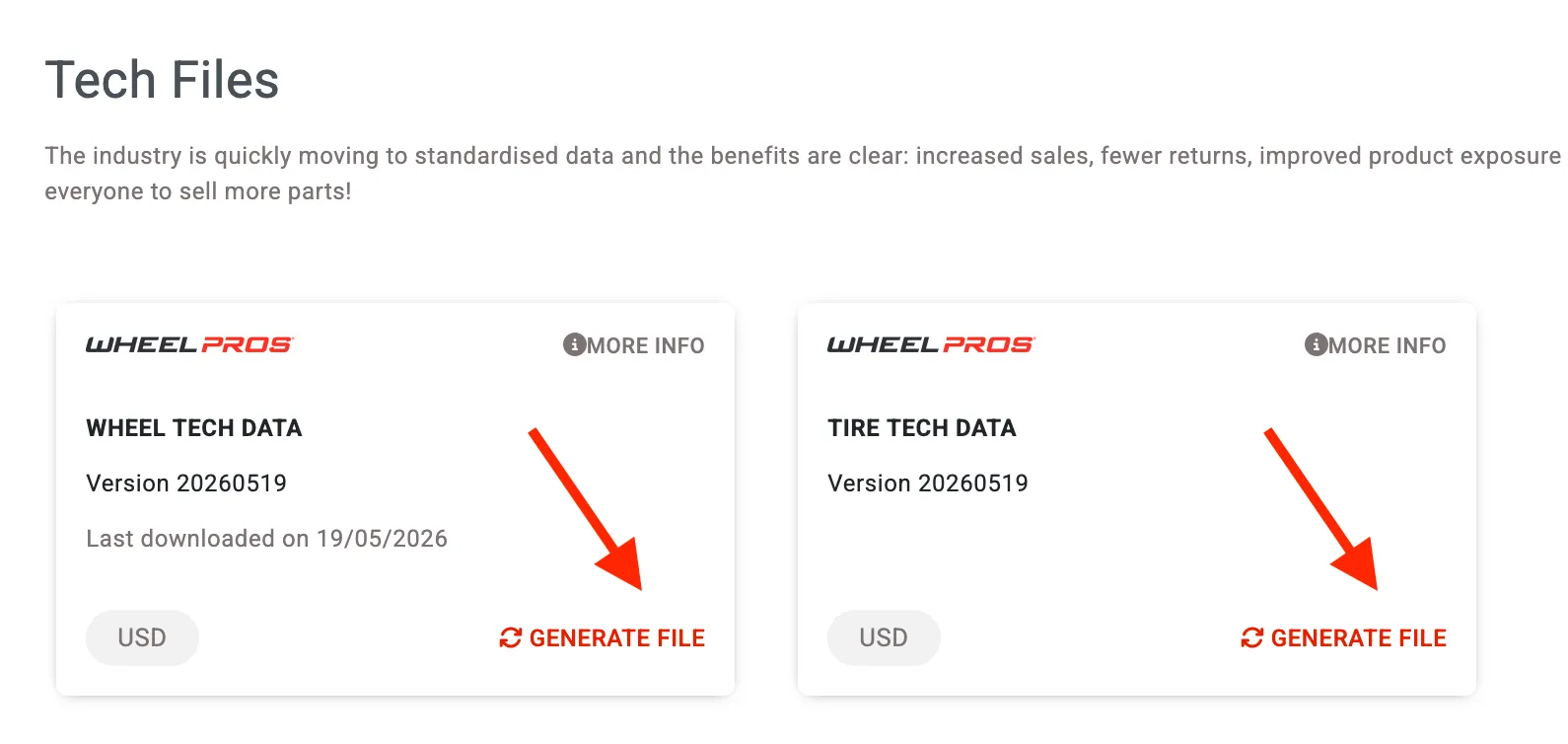
Section titled “Generate tech data files”- Open the Tech Guide page: https://data.wheelpros.com/downloads/tech-guide/files
- Under Wheel Tech Data, click Generate File
- Under Tire Tech Data, click Generate File
Share your SFTP credentials
Section titled “Share your SFTP credentials”- Open Account Information: https://data.wheelpros.com/users/account-information
- Copy your SFTP Username
- Email your SFTP username and password to [email protected] and request connecting the Wheel Pros product attributes data feed
