

How to approve our collaborator request
To set up and support Convermax on your store, our team needs collaborator access to your Shopify admin.
Collaborator access is not a staff account. It does not count toward your staff limit, and you can revoke it at any time.
We send the request — you approve it.
Approve the request
Section titled “Approve the request”-
In your Shopify admin, go to Settings → Users.
-
Find Convermax Collaborator in the list. Its status is Pending.
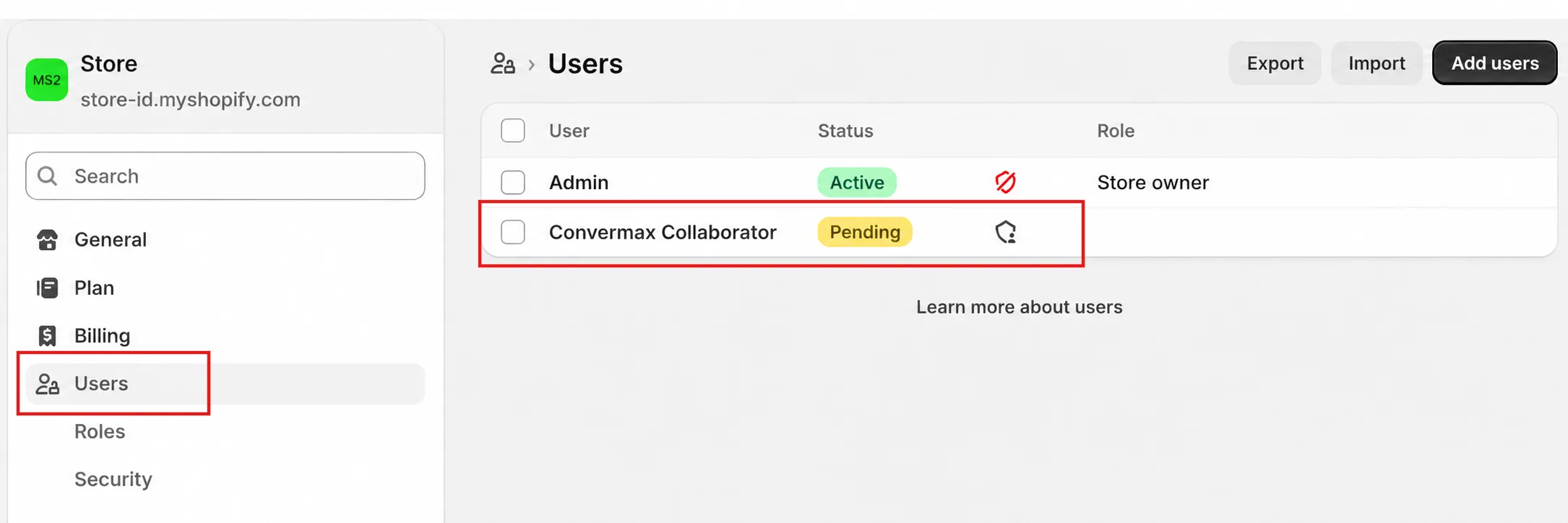
-
Click the row to open the request.
-
Review the details and the requested role under Roles on your store.
-
Click Accept request in the top right.
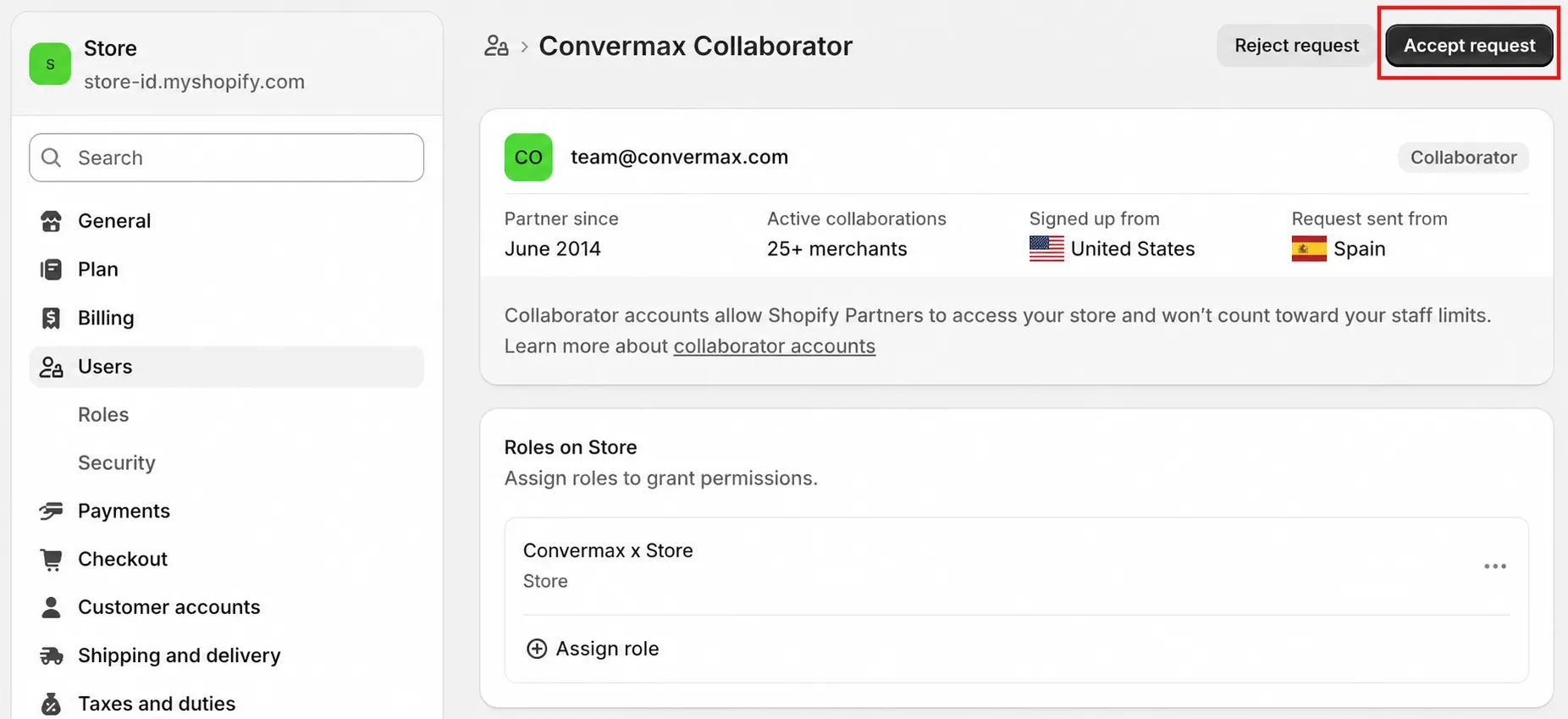
That’s it. Our team can now access your store and continue the setup.
What we ask for
Section titled “What we ask for”The request already includes the role we need, so there is nothing to configure. We ask for:
- Home
- Products
- Content
- Online store
- Store settings
- Apps and channels
We do not request orders, customers, or financial data.
Occasionally we also need access to your International sales tools.
If you grant fewer permissions than we asked for, parts of the setup may not work and we may need to come back to you for the missing one.
Revoking access
Section titled “Revoking access”Go to Settings → Users, click Convermax Collaborator, and remove the access.