

Convermax for BigCommerce
Everything needed to run Convermax on a BigCommerce store, in the order you will need it.
Install the app
Section titled “Install the app”Go to Year Make Model Fitment Search and click Install.
For the search to work, the app needs access to your:
- Categories and products — to index them
- Scripts and themes — to install the frontend implementation
- Pages — to create the Search Page and Brands Page
Connect fitment data
Section titled “Connect fitment data”Start with how the YMM (fitment) search works for the general concept, then connect the sources that provide fitment information for your products:
- Fitment data in custom fields
- Fitment data integrations — PDM, SEMA Data, Turn 14, ASAP, and more
- Custom fitment data sources and formats
After adding any data source, reindex the store: open the Convermax YMM app page and click Force Re-index.
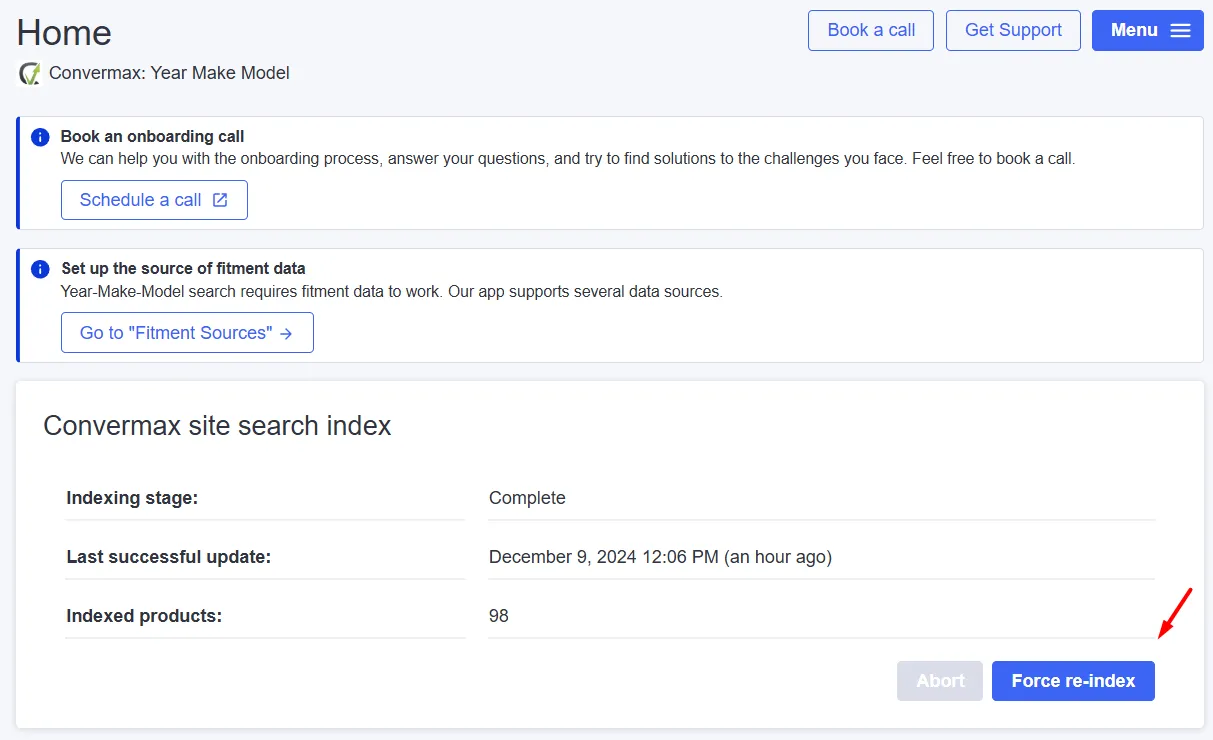
Once data is connected, how products map to fitment data explains what gets matched, adding wheel and tire product attributes covers wheel and tire specs, and fitment editor commands cover bulk edits from the dashboard.
Add widgets to your theme
Section titled “Add widgets to your theme”Integrate a theme
Section titled “Integrate a theme”To use YMM widgets, select the theme they will be integrated with: go to the Theme Integration page in Convermax YMM, click Integrate, and choose a theme from the dropdown list.
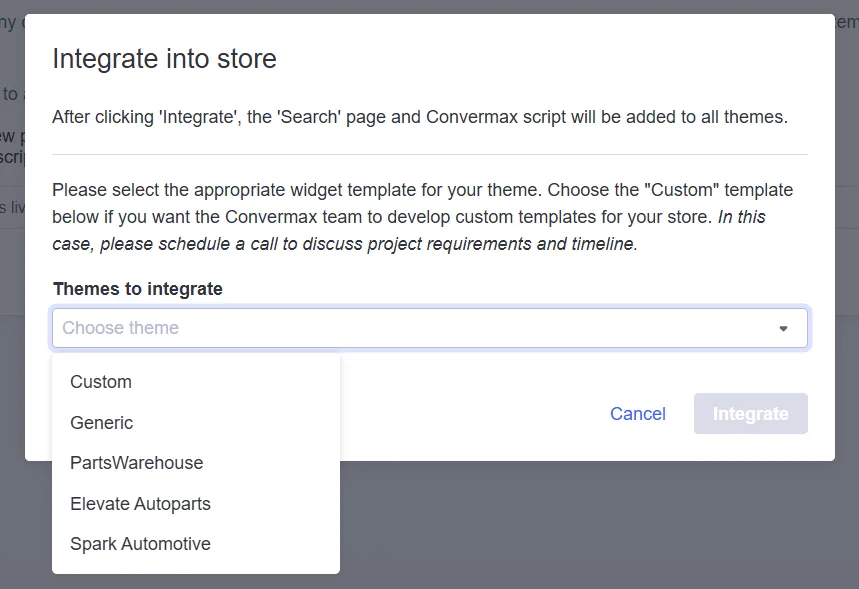
You can choose one of the ready-made themes. The Generic theme features neutral styles and is suitable for most stores. If none suits your needs, book a call so we can offer you a personalized solution.
Add the Year|Make|Model widget
Section titled “Add the Year|Make|Model widget”Go to the Storefront page and click Customize on the theme you want to use.
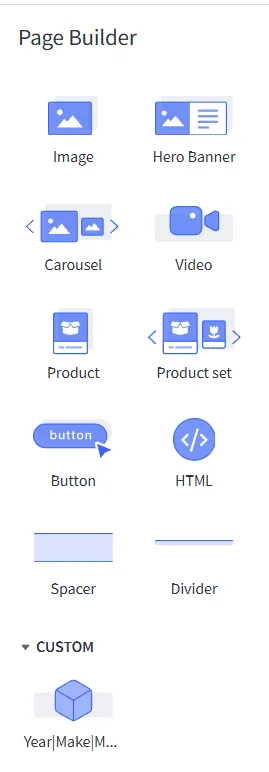
In the Page Builder panel you will find the widgets provided by our application. Place the Year|Make|Model widget where you want it on the page, then save and publish.
Product data and merchandising
Section titled “Product data and merchandising”- Standard search keywords and custom fields
- Creating and managing filters
- Configuring the category filter
- Manage product listing order with keywords
- Landing pages via category metafields
Going further
Section titled “Going further”- Connect the script to a theme copy
- Where we store a customer vehicle
- Create an API token
- Adding a dev team account
- Search API reference — build your own storefront on our API