

Add Bought Together
The Bought Together block shows products that customers often bought in the same order as the current product.
What it needs
Section titled “What it needs”- Past orders where this product was bought together with other products. A product with no such orders shows no block.
- Indexing. Order data is refreshed during indexing at most once every 3 days, so new orders can take up to 3 days to appear in the block.
Add the block
Section titled “Add the block”- Go to your theme editor: Admin → Sales channels → Online Store → Themes → (on the desired theme) Customize
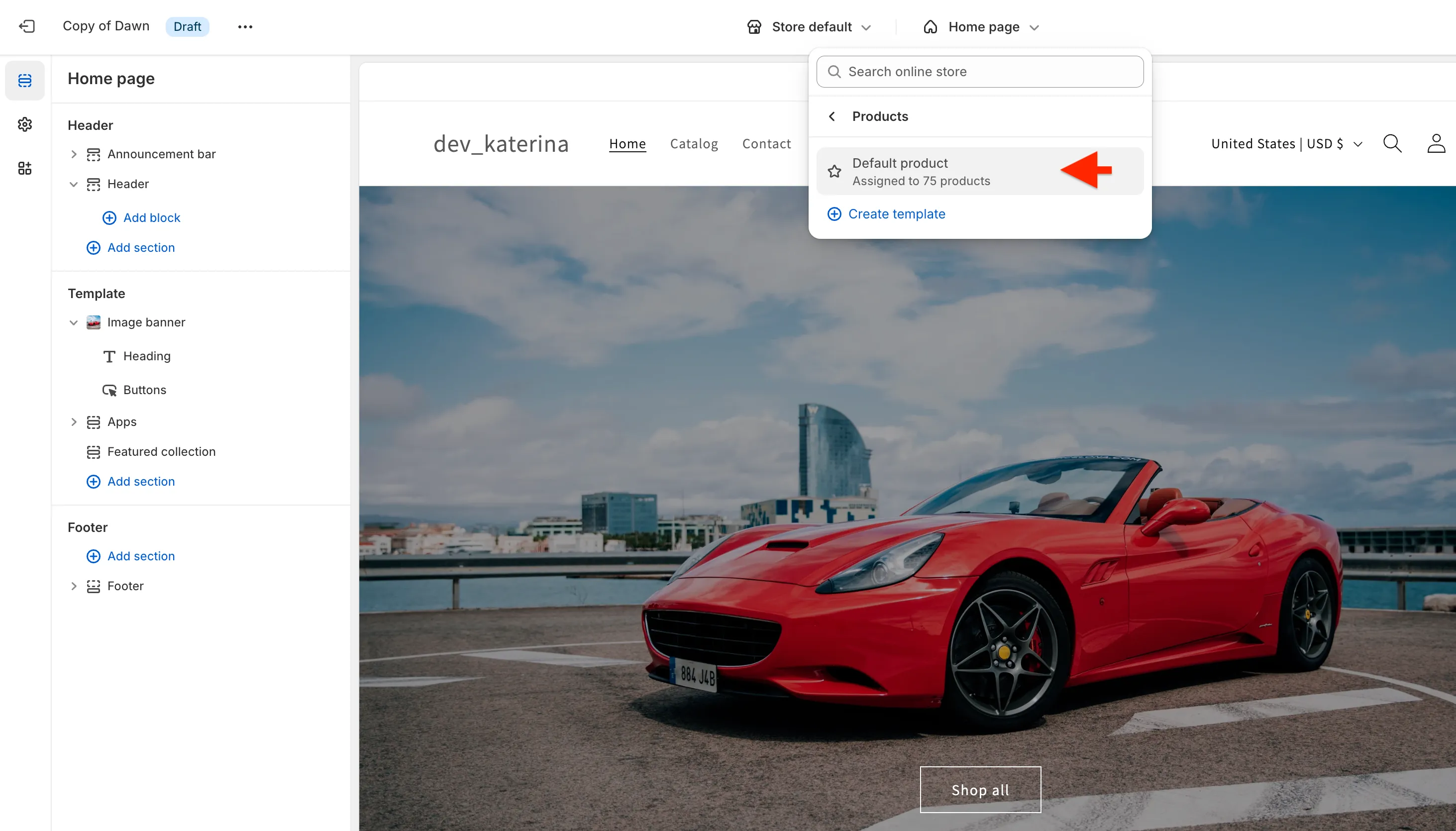
- Select the Products template in the dropdown at the top and pick Default product
- Click Add section, open the Apps tab, and select Bought Together
- Click Save
In the theme editor, a product without order data shows a placeholder note instead of the block.
Settings
Section titled “Settings”- Products Count: how many products to show, from 1 to 10 (default 5)
- Add wrapper classes to the block: extra CSS classes for the container
- Custom CSS: extra CSS rules
The block title can be changed in the app under Settings → Translations.