

Where we store a customer vehicle and how to view it
Saving the Customer’s Vehicle
Section titled “Saving the Customer’s Vehicle”Saving a customer’s selected vehicle allows the store to maintain a consistent and personalized experience. When the user is logged in, their garage and selected vehicle are saved to their WooCommerce account and restored on other devices.
The vehicles are stored in two customer meta fields:
| Meta field | Value |
|---|---|
convermax_garage | All vehicles in the garage |
convermax_selected_vehicle | The currently selected vehicle |
This works when:
-
The Convermax plugin is installed and active.
-
The Convermax REST API key has Read/Write permissions in WooCommerce → Settings → Advanced → REST API. With Read, the garage stays in the browser only.
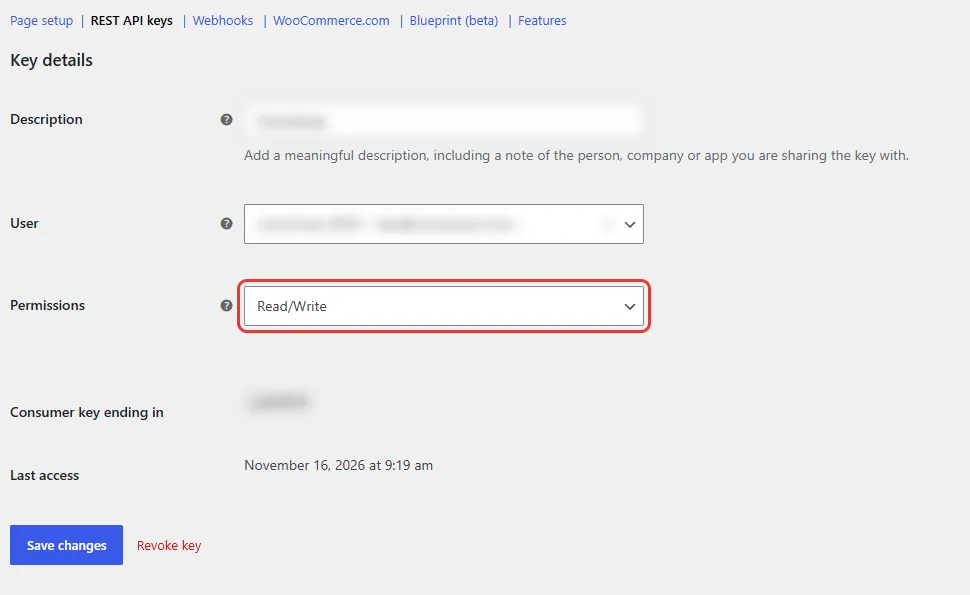
How to view a customer’s vehicles
Section titled “How to view a customer’s vehicles”To show the vehicles as columns in the Users list, use the free Admin Columns plugin:
-
Install and activate Admin Columns.
-
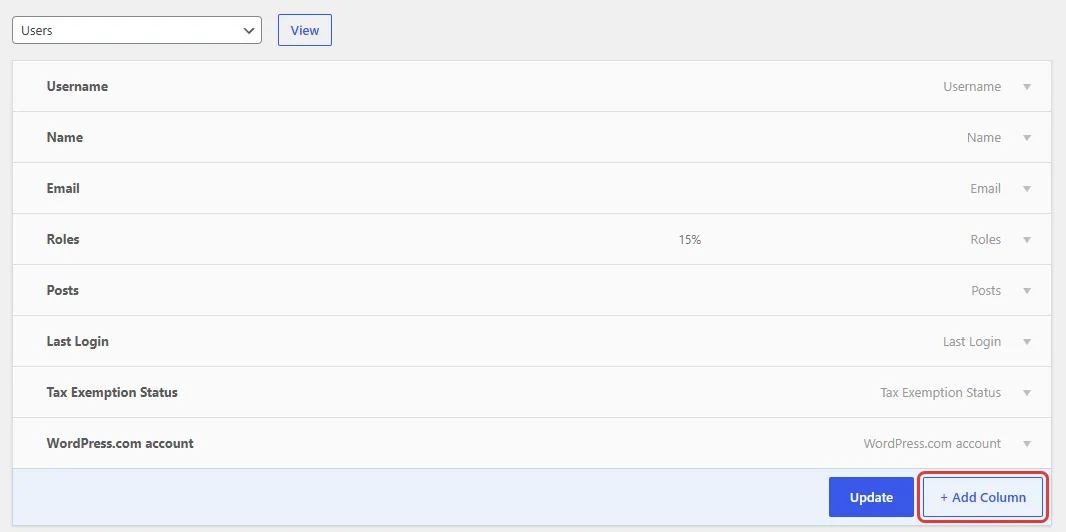
Go to Users → All Users and click the gear button next to Filter.

-
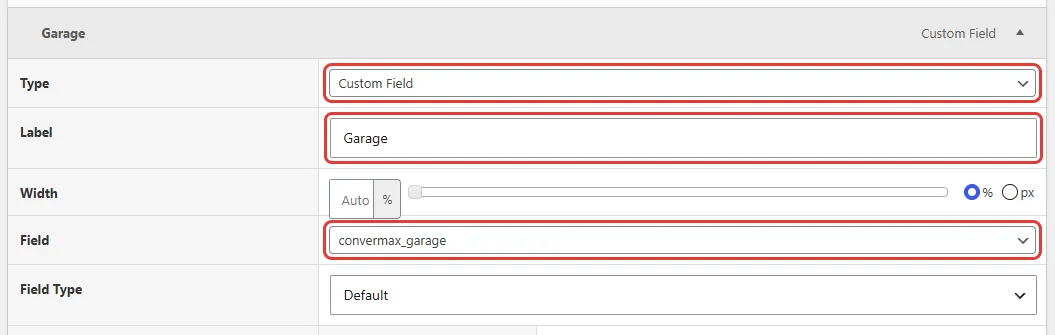
Click + Add Column and set:
- Type: Custom Field
- Label: Garage
- Field:
convermax_garage
-
Add one more column the same way: Label “Selected Vehicle”, Field
convermax_selected_vehicle. -
Click Update.
The Users list now shows the garage and selected vehicle of each customer who has saved a vehicle.
